
Like everyone, I caught the AI agent bug. I ended up building a few with Astropods and Claude Code and honestly, it was easier than expected. You just need two commands to get started: ast create and ast dev.
The first, ast create, scaffolds an agent for you, either with Mastra or LangChain (more to come). It creates an astropods.yml (the specification of your agent), a Dockerfile and the code needed to run the agent. Once the bases are here, you can improve it using your favorite coding agent. Right now I’m using Claude Code but you can use what you prefer; it will work all the same. From here, you can add tools, knowledge databases and ingestion pipelines to improve your agentic loop.
The second, ast dev, reads the astropods.yml and the Dockerfile, builds the docker images and starts everything in the right order. This is the engine that runs it all.
Finding an Agent Worth Running
Building agents is one thing, finding good ones to run is another. While Astropods gives you a boost of productivity in developing and running your agents locally, great ideas come from humans, still.
So, I went on a quest to find helpful agents I could run locally. I found this LangChain agent that looked promising: LangChain-ai/open_deep_research.
Open Deep Research is a fully open-source autonomous research agent built on LangGraph. You can give it any topic or question and it will scope the research (optionally asking clarifying questions), spin up parallel sub-agents to search the web, and synthesize findings into a well-structured, cited report.
I didn’t want to get into the potential complexity of running it myself and installing all the dependencies needed to run it with LangChain so I decided to port it to Astropods. Since Astropods has adapters for LangChain and Mastra, Claude had no issue integrating the existing code with the Astropods adapters.
Claude needed a few iterations to make it work so I decided to create a skill to make it easily repeatable. You can find it here: migrate-to-astropods.
What the Skill Actually Does
The migrate-to-astropods skill teaches an AI agent (like Claude Code) to take any existing agent project and make it runnable on the Astropods stack by adding just two files: an astropods.yml package spec and a Dockerfile. The agent reads the existing code to understand the runtime, entry point, LLM providers, and required secrets, then generates the right config without touching a single line of agent logic.
For LangChain (Python) and Mastra (TypeScript) projects, an optional adapter can be wired in to handle messaging, streaming, observability and conversation memory automatically, still with minimal code changes.
Once those two files are in place, ast dev takes care of the rest: builds the container, injects credentials, and exposes a messaging interface.
This is why I like Astropods so much, it takes care of everything around the agent so I can focus on the actual logic of it. I can now run the agent locally but also plug it into any Slack app I want or simply converse with it through the built-in Astropods chat interface.
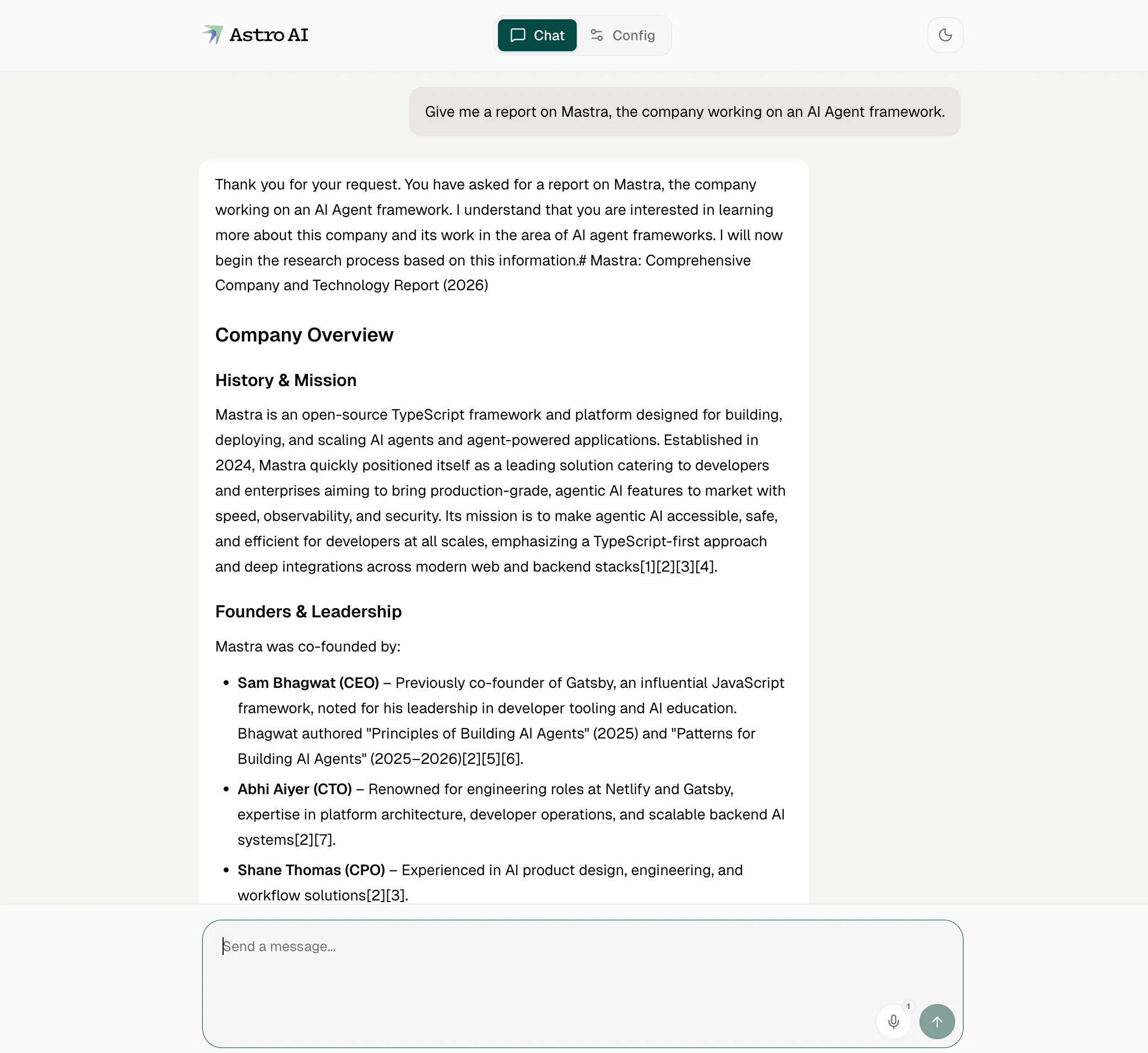
The Astropods adapters, messaging layer, and chat interface are all open source at github.com/astropods, so if your LLM framework isn’t supported yet, contributions are welcome.
From Local to Production
Once my local testing was done and everything worked as intended, I was very happy with the result. I thought: “maybe it would be useful for other people”, but how do I share my agent?
Sure, I can create a new GitHub repository with the sources, the astropods.yml and the Dockerfile, but people still have to checkout the repo, install the CLI and run it locally. Not the smoothest experience. I can also run the agent locally and link it to a Slack app running in my company’s Slack, but what if my machine restarts or I have performance issues?
There is actually a better way.
With Astropods, I have the ability to push my agent to the platform with a simple command: ast push. It will create what we call a “blueprint”, a plan of your agent, if you will, that other users can use to deploy their own version of your agent.
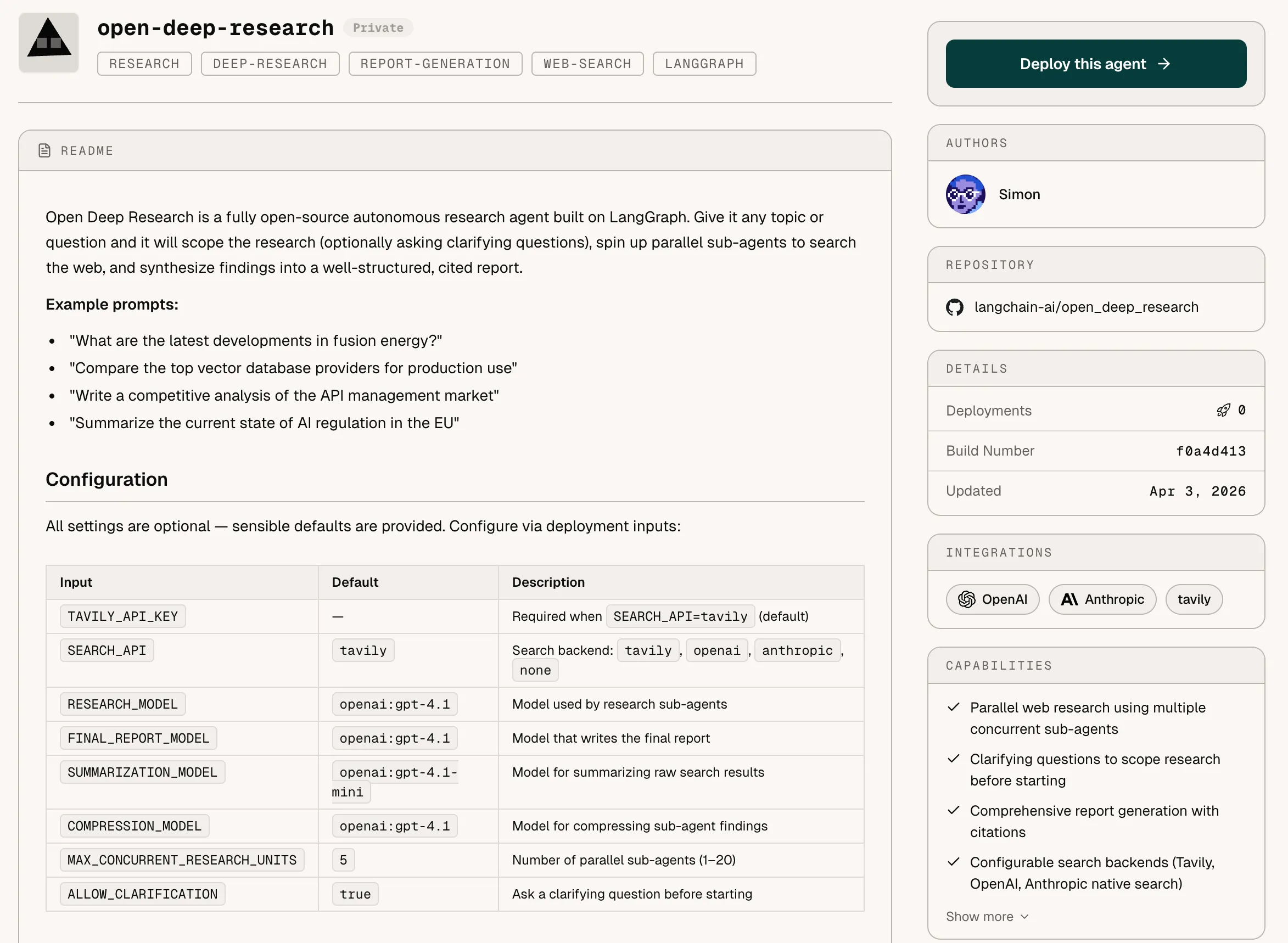
You can check out all our public blueprints here: astropods.ai/blueprints/discover
Everything is handled by the platform: agents are deployed within the Astropods cloud, isolation and networking are taken care of, observability is built-in.
What I really like is the observability layer. When you deploy agents at scale, in production, you want a clear understanding of how your agents are performing, how much it costs to run (tokens cost money!), and inspect logs when things go wrong.
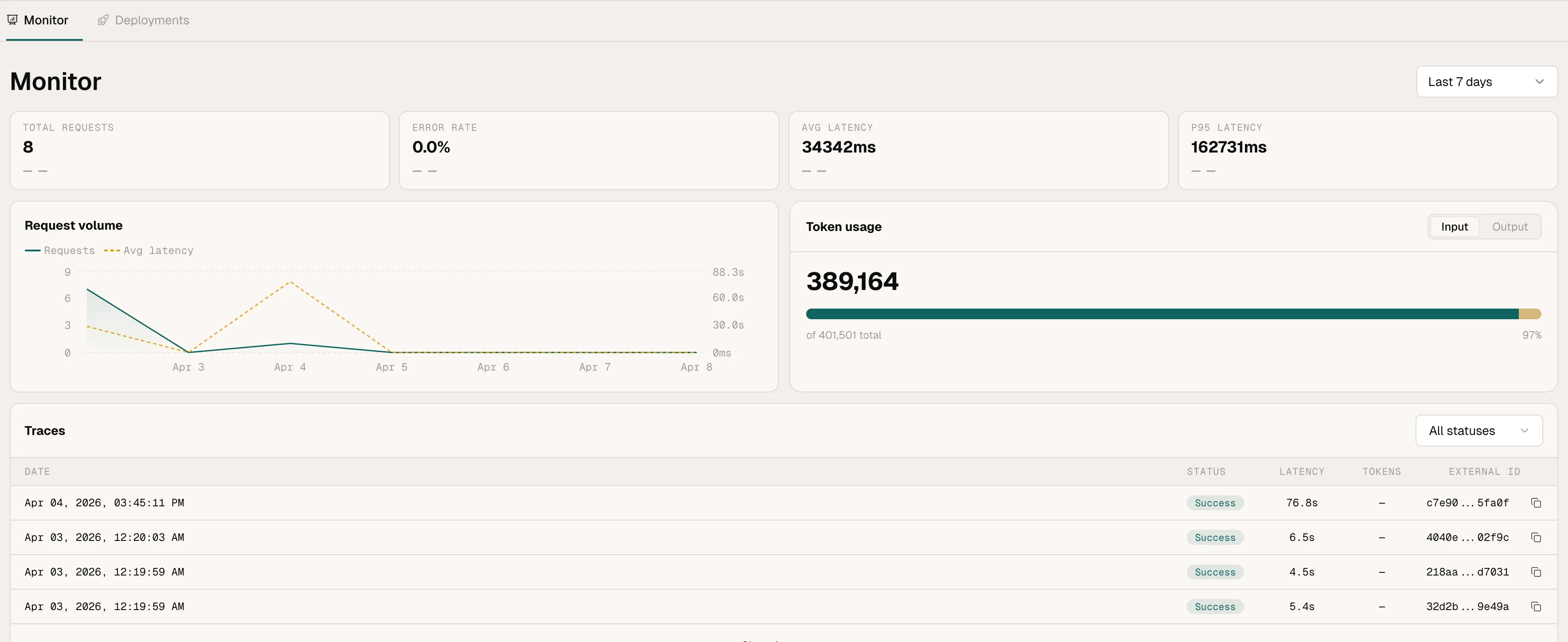
I started this wanting to run one useful agent. I ended up with a platform I actually want to build on. Give it a shot: ast create, ast dev, and go from there.
Questions or feedback? Come find us on Discord.